

Starting the Bot
To begin, head to Maestro Bot and click on “Start”. The bot will reply to you with a Captcha that you need to solve for verification as shown in the example below: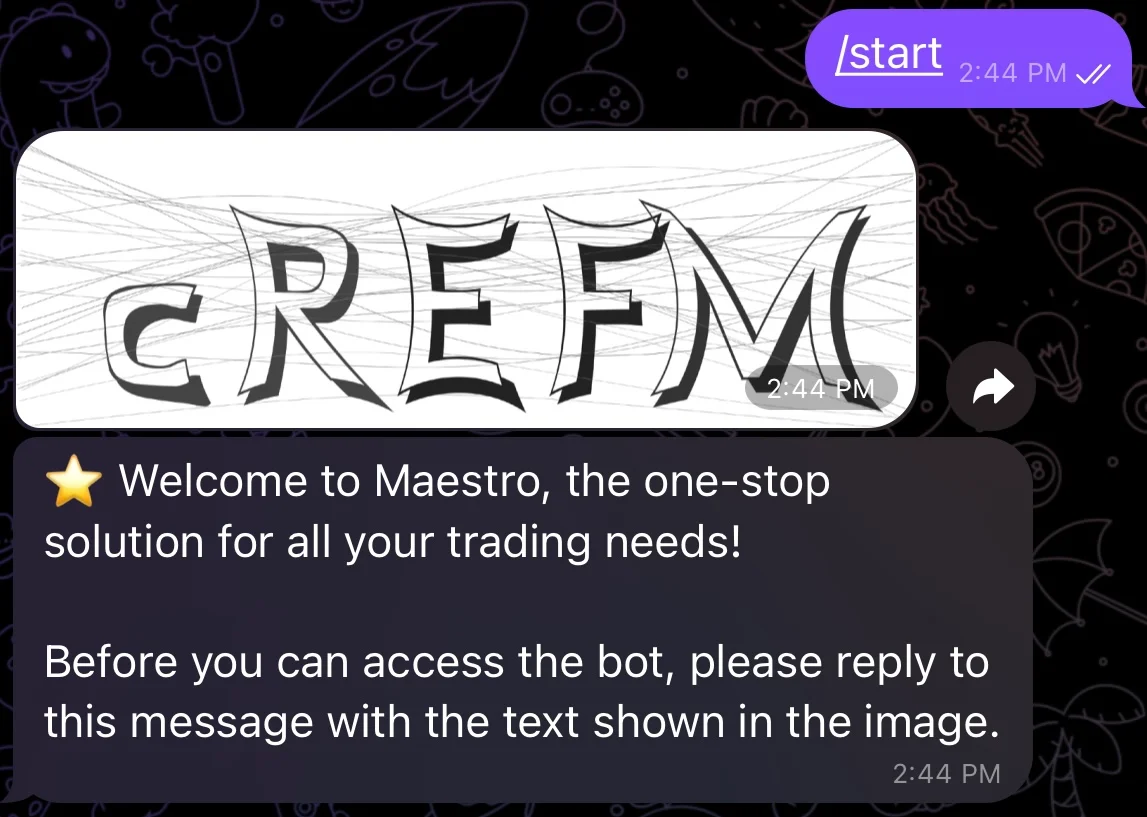
/start in your DMs with the bot. Once verification is successful, the bot will reply to you with the following message:
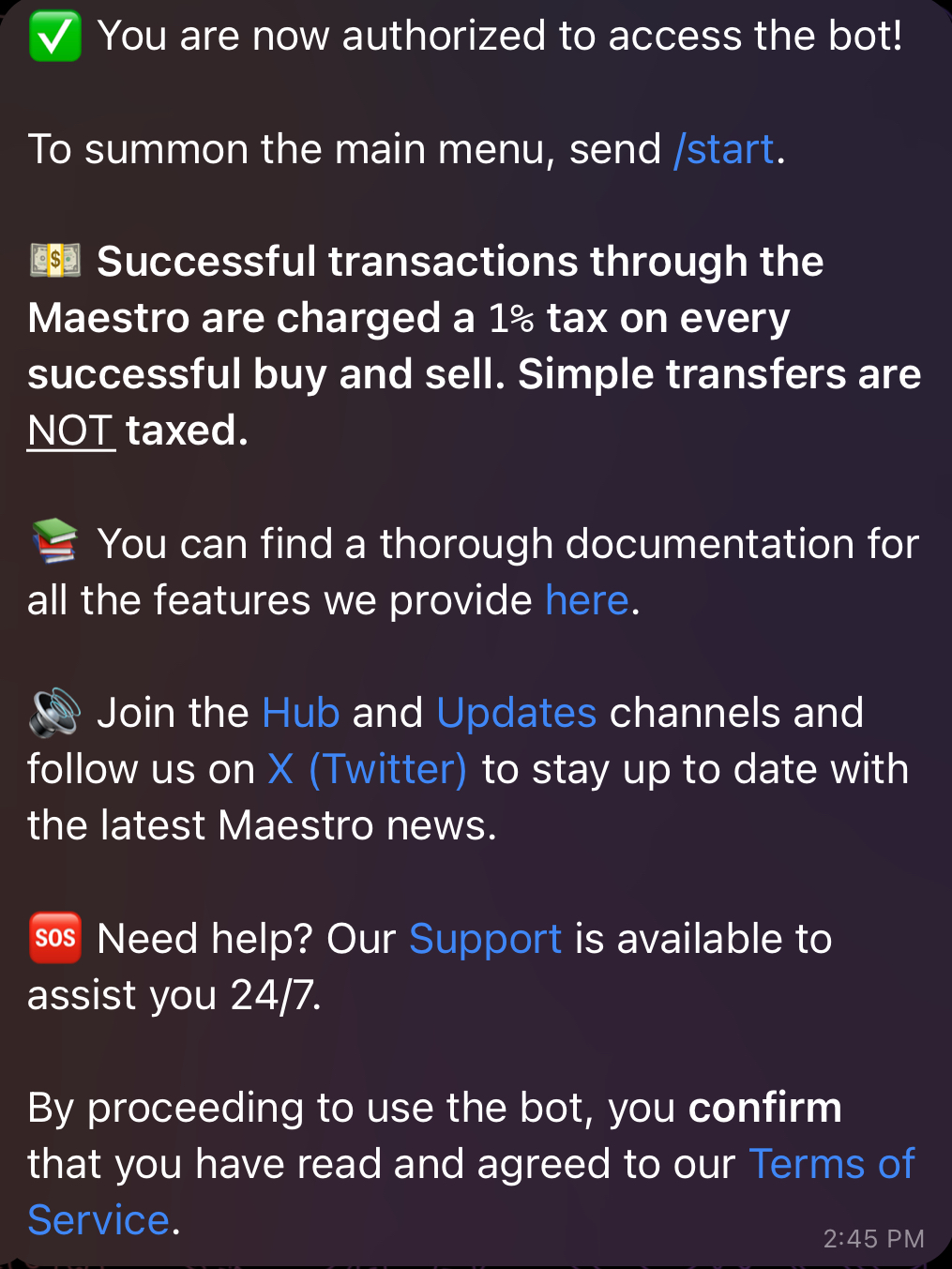
/start in your DMs with the bot to spawn the main menu displayed below:
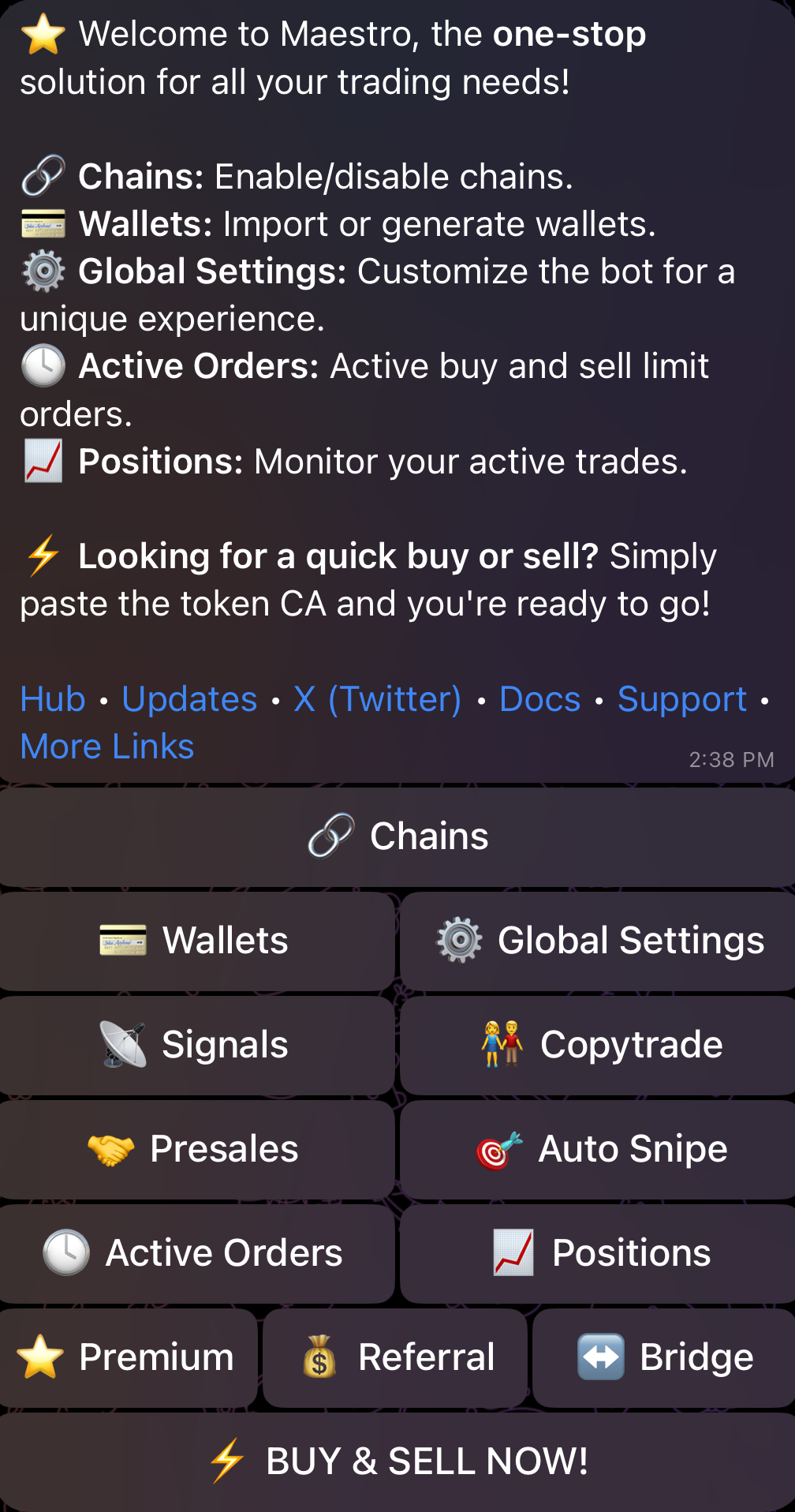
Enabling/Disabling Chains
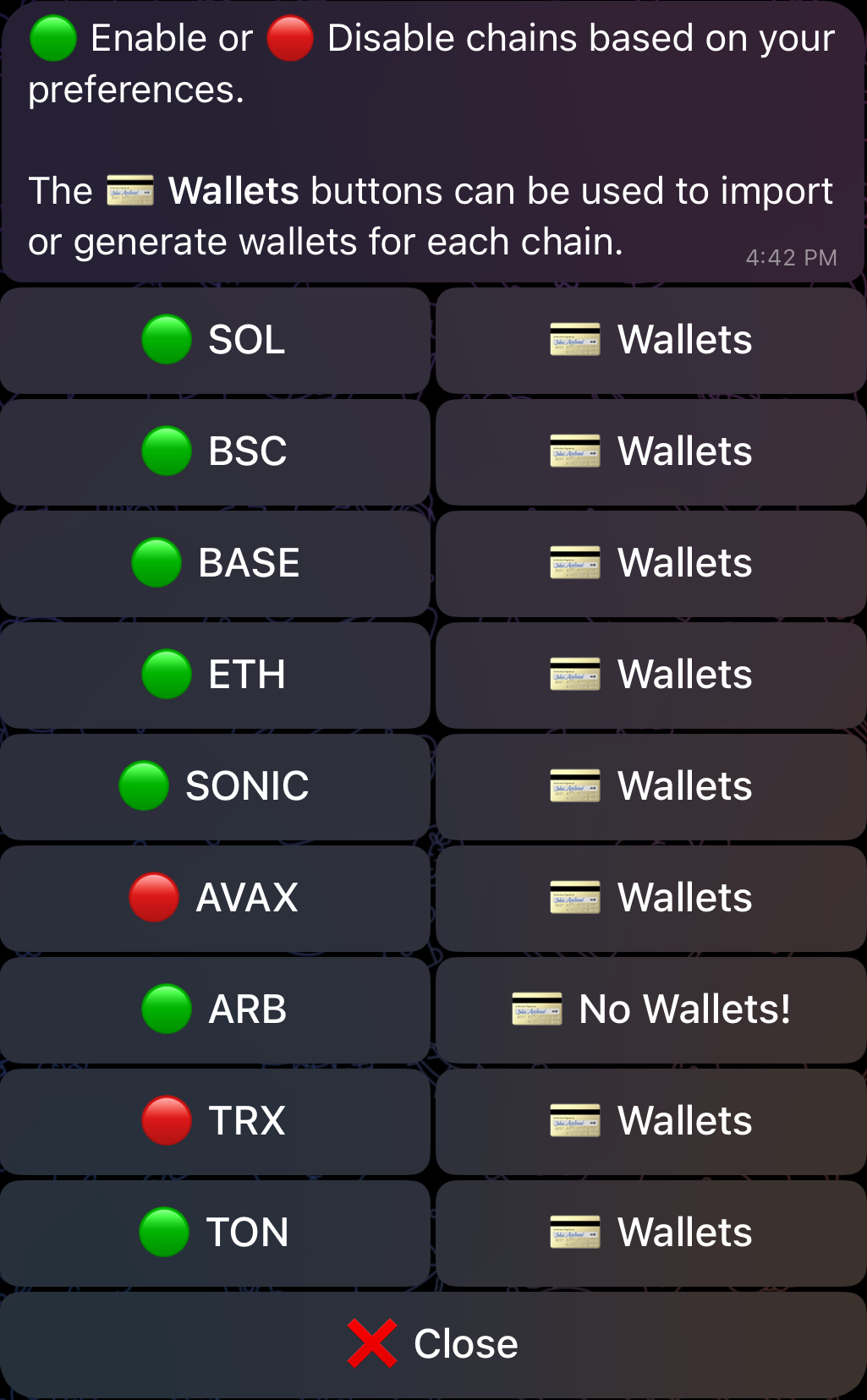
By selecting Chains from the Main Menu, you can enable or disable chains based on your preference as shown in the figure below. Alternatively, you can reach this menu by sending the command/chains in your DMs with the bot. The bot currently supports nine chains: BNB Smart Chain (BSC), Ethereum, Arbitrum, Base, Avalanche, Sonic, Tron (TRX), TON and Solana. By default, these chains are displayed as options for each of the bot’s functionalities, but you can limit this to your chains of interest by disabling chains that you don’t currently trade on. In addition, you have the option to import an existing wallet or generate a new one by clicking on the ”💳 Wallets” button which appears next to each chain, as shown below. We go over the process of setting up a wallet in detail in Section 2.
Supported DEXs
For each chain, the bot currently supports the following DEXs:| Chain | Supported DEXs |
|---|---|
| BSC | PCS V2 | PCS V3 | FourMeme/SpringBoard |
| Ethereum | Uniswap V2 | Uniswap V3 |
| Arbitrum | Uniswap V3 | SushiSwap V2 | OreoSwap | Camelot |
| Base | Uniswap V2 | Uniswap V3 | SushiSwap V2 | Aerodrome V2 | Virtuals |
| Avalanche | Trader Joe V1 | Trader Joe V2.1 |
| Sonic | NDYOR V2 | SonicSwap V2 | SBoom V2 | SushiSwap V2 | MetropolisSwap V2 | ShadowSwap V2/V3 | SwapX V2/V3 | Wagmi V3 |
| Solana | Raydium | Orca | Meteora | FluxBeam | Pump․Fun | Moonshot |
| TRX | SunSwap V2 | SunPump |
| TON | DeDust V2 | STON․fi |